SERVICE.
COORDINATED.
Connect the equipment issue to a practical plan for the people who resolve it.
Working service demonstration. Screens use seeded scenario data.Explore the case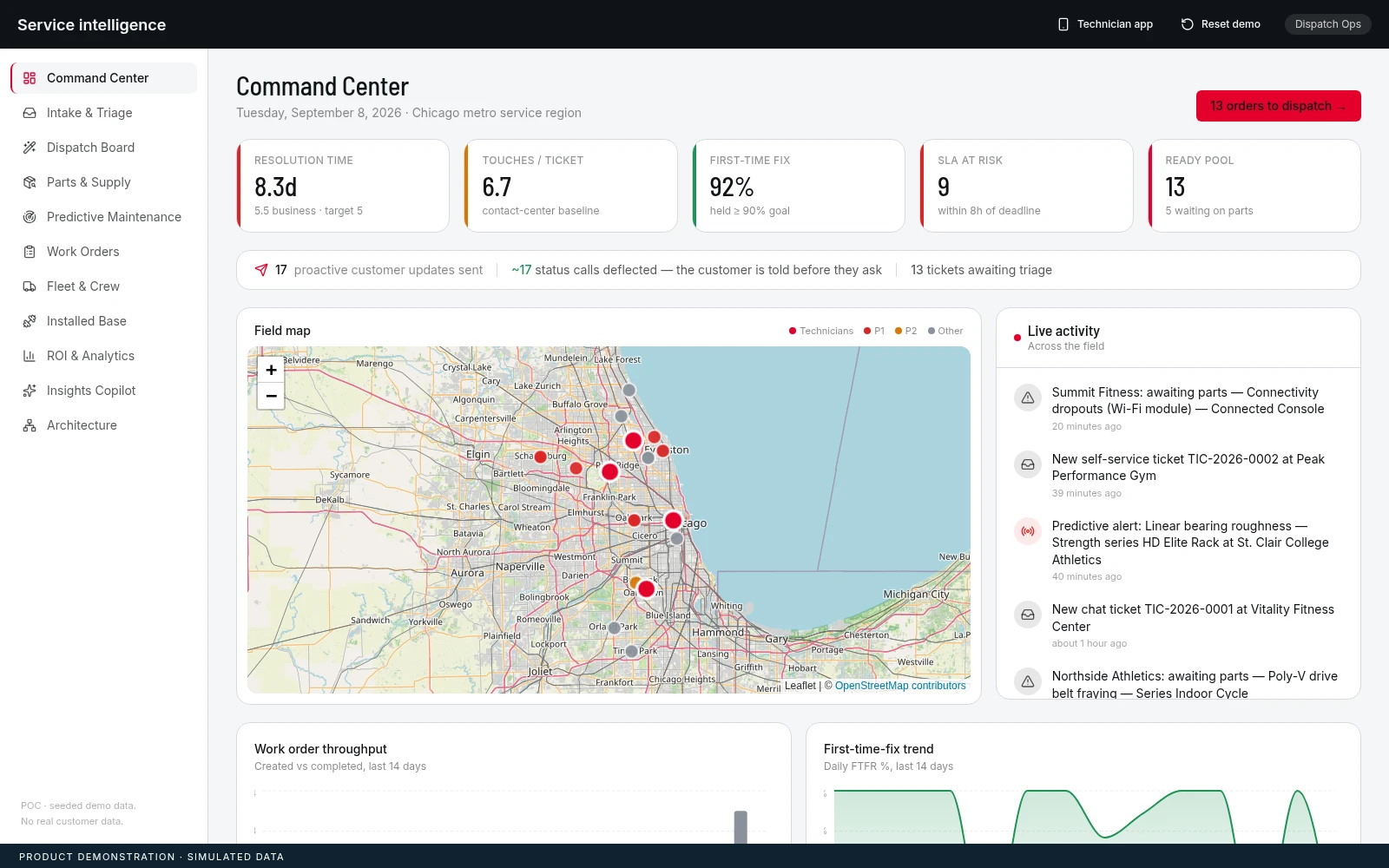
The console connects service demand to fleet and work-order context.
Demonstration interface using simulated operations.Equipment & field service
Field service intelligence
Dispatch optimisation & service experience
Product interface · simulated service data
01Bring equipment condition into the work-order decision.
02Balance dispatch against the constraints of the crew.
03Keep field work connected to the service plan.
A PRIORITY LIST DOES NOT ASSIGN THE CREW.
An equipment issue creates a planning problem. The dispatcher must consider urgency, technician capability, travel, parts, and the remaining shift. Treating those factors separately can produce an assignment that looks reasonable until the technician reaches the job.
We built a service demonstration connecting equipment health, work orders, assignment optimisation, and a technician experience. The assignment engine balances operational constraints against a shared set of scenario data.
Service leaders should evaluate the plan at the job and crew level. The useful question is whether the proposed assignment can be carried out with the resources available.
FROM THE ESTATE TO THE NEXT ASSIGNMENT.
SEE THE SERVICE PICTURE.
The command view brings work orders, fleet activity, and equipment context into one place. It gives dispatchers an entry point for deciding what requires attention before they commit the day’s work.
THE DECISIONWhich issues need a change to today’s service plan?
EXAMINE EQUIPMENT RISK.
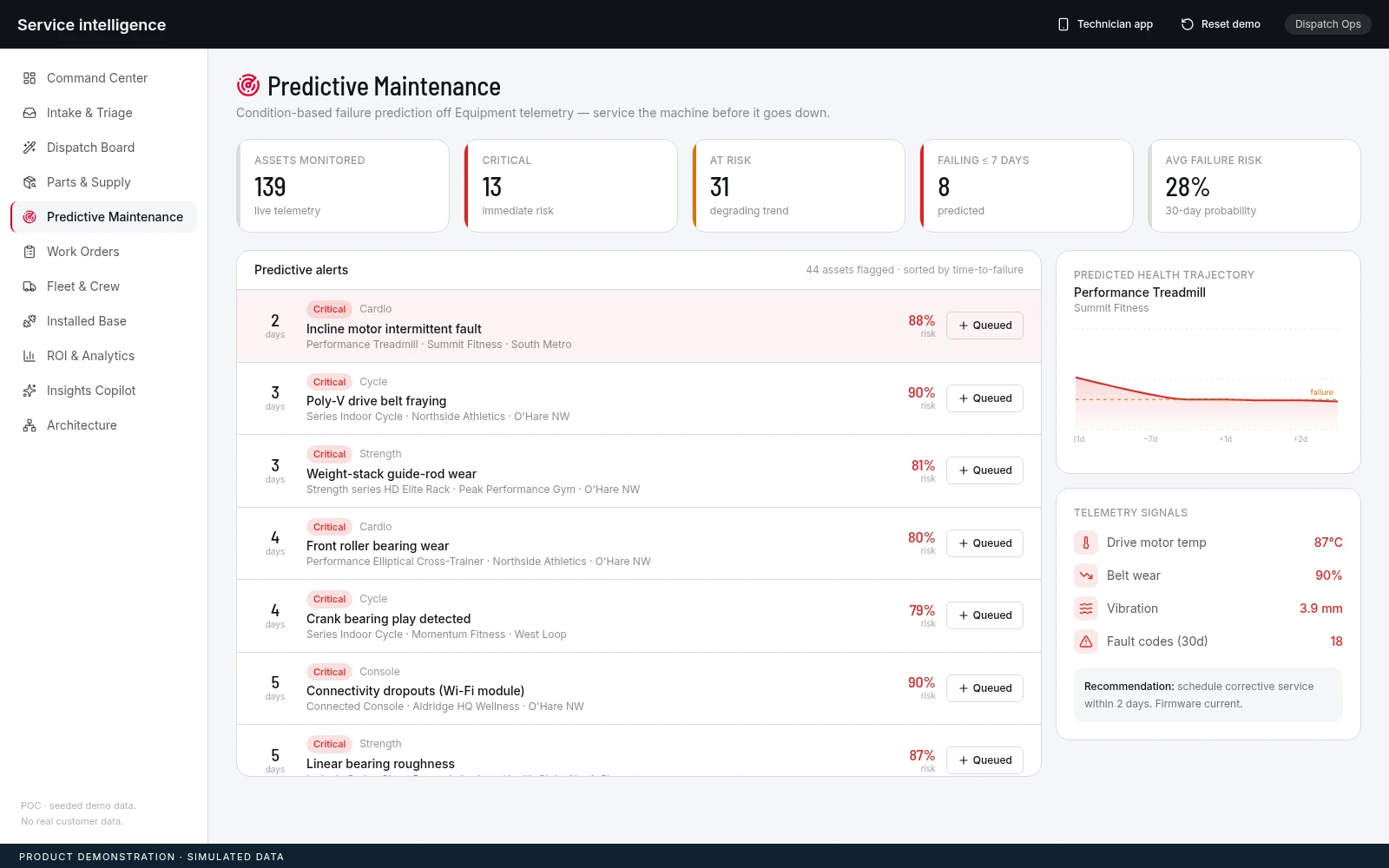
The maintenance view ranks equipment using scenario telemetry and derived health indicators. A dispatcher can inspect a flagged asset and raise a work order for the service workflow.
THE DECISIONWhich assets warrant inspection or planned intervention?
REVIEW THE ASSIGNMENT.
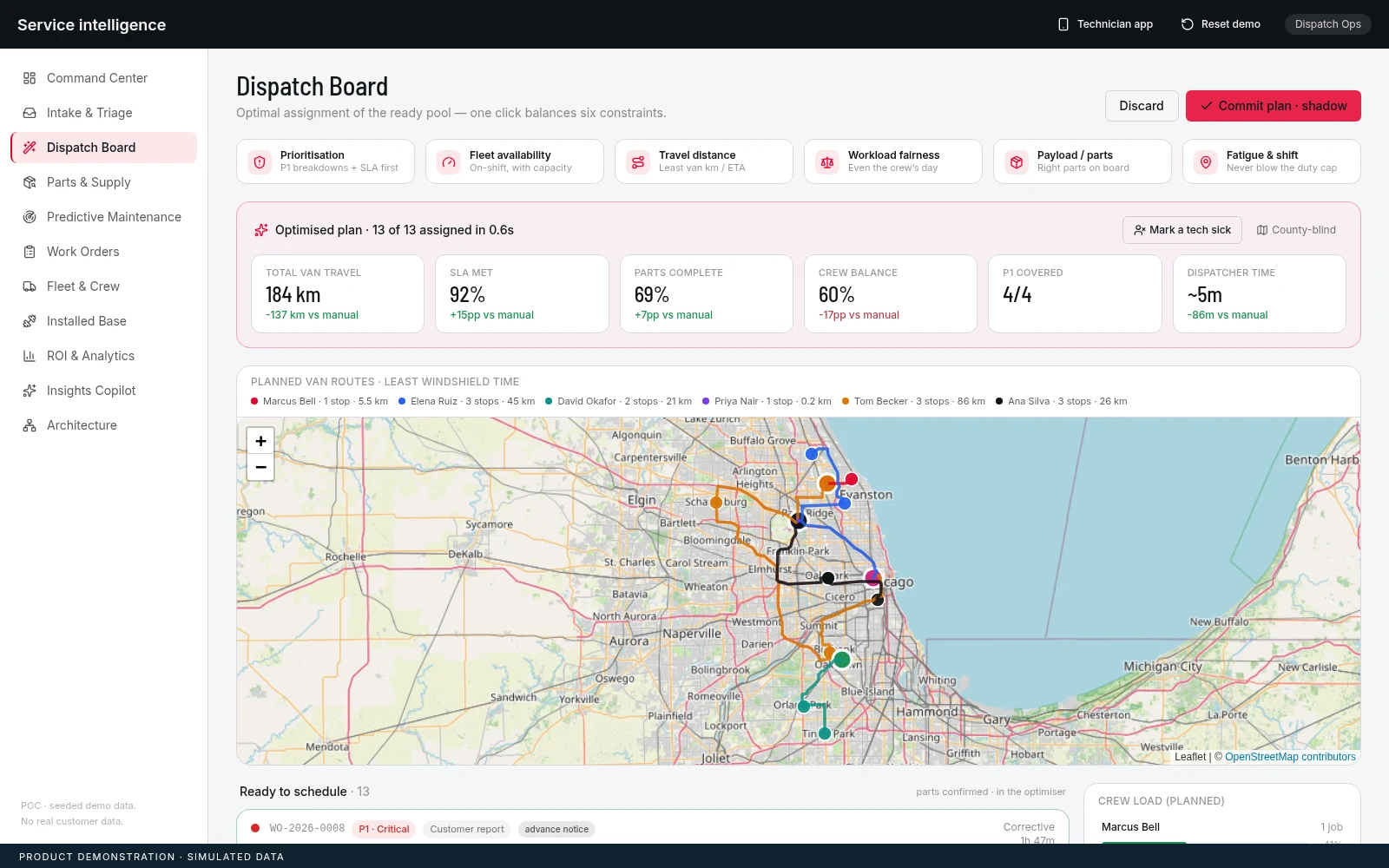
The dispatch engine considers priority, availability, travel, workload, parts, and shift rules. The proposed plan exposes the assignment and its rationale so the dispatcher can review it before committing.
THE DECISIONDoes each assignment fit the job, the technician, and the remaining shift?
A COMMON STATE CONNECTS DISPATCH AND THE FIELD.
The demonstration uses a shared application state for the dispatch console and technician workflow. Field updates can therefore appear in the console as the technician works through the job. A deterministic assignment engine makes the planning logic inspectable.
Routing and optional model integrations support the wider service experience. Diagnosis can accept text and media; seeded scenarios and fallback responses keep the demonstration usable without treating sample output as a measured operational result.
- 01
IDENTIFY
Inspect the equipment issue and its urgency.
- 02
PLAN
Balance the work against crew and resource constraints.
- 03
DISPATCH
Review and commit the proposed assignments.
- 04
UPDATE
Connect technician progress back to the service record.
PROVE THE PLAN AGAINST FIELD CONDITIONS.
Teams should validate travel assumptions, skills, parts availability, shift rules, and exception handling using representative service work. Equipment-risk indicators also require calibration against actual maintenance history before they guide intervention.
The interface and planning engine operate on scenario data. Displayed savings, service levels, and risk estimates are demonstration outputs, with no claim of measured customer uplift.
- Feasible assignments under real crew constraints.
- Travel and parts assumptions at job level.
- Technician exceptions reflected in the dispatch view.