DISCOVER.
SHOP THE MOMENT.
Carry the customer from product discovery through checkout.
Developed product family. Designed views illustrate its shopping journeys.Explore the case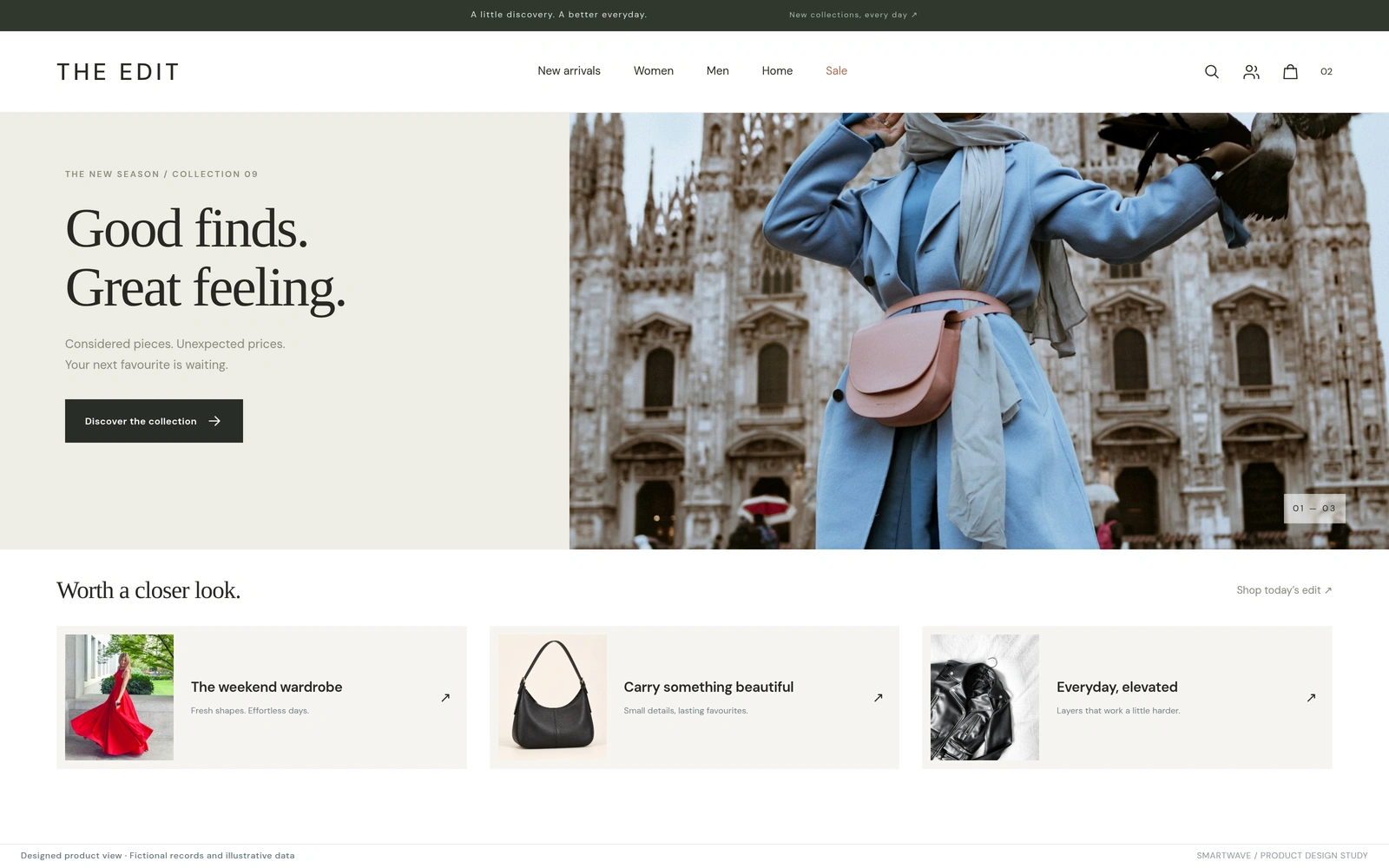
An editorial storefront brings product collections and sale discovery together.
Custom-designed storefront inspired by the developed commerce ecosystem.Retail & commerce
Commerce ecosystem
Storefronts, native mobile & live shopping
Designed product view · illustrative data
01Connect shopping surfaces to the commerce record.
02Give shoppers a direct path from live video to product.
03Give sellers a working broadcast studio.
KEEP THE CUSTOMER’S CONTEXT INTACT.
A retailer can offer mobile shopping, flash sales, and live video while still leaving customers to reconnect the pieces themselves. The engineering challenge sits between those experiences: which catalogue a shopper sees, how they sign in, and how a product reaches checkout.
We developed a product family spanning native mobile apps, storefront integration, shared identity, sale orchestration, and live shopping. Brand configuration selects the relevant storefront and available experiences. Commerce services remain responsible for price, availability, and checkout.
Retail leaders should assess the complete purchase path before adding another shopping surface. A new channel earns its place when the customer can move through it with clear product and account context.
ONE PURCHASE. SEVERAL POINTS OF ENTRY.
MAKE DISCOVERY SHOPPABLE.
Storefronts and native apps organise products and sale collections into a considered shopping experience. Catalogue, identity, and commerce integrations connect discovery to the relevant product and checkout, while server-side rules determine availability.
THE DECISIONHow should the storefront help a shopper find the right product?
SHOP WHILE THE MOMENT IS LIVE.
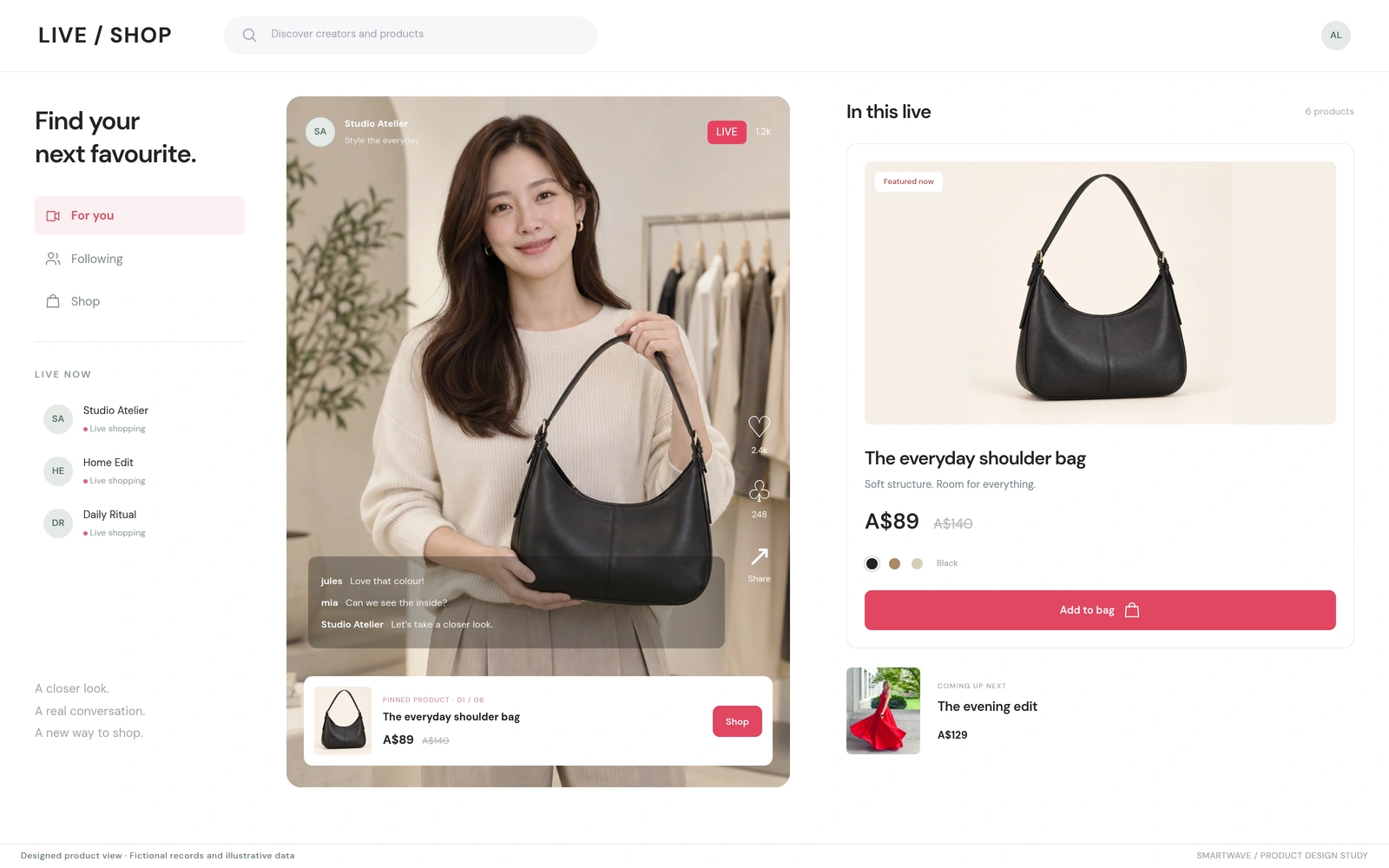
A vertical live feed brings creators, conversation, and featured products into one view. Viewers can inspect the pinned item and continue toward purchase while the creator demonstrates it. Shared account services support the customer context across the experience.
THE DECISIONHow should a viewer move from interest in the broadcast to a product decision?
GIVE THE SELLER A STUDIO.
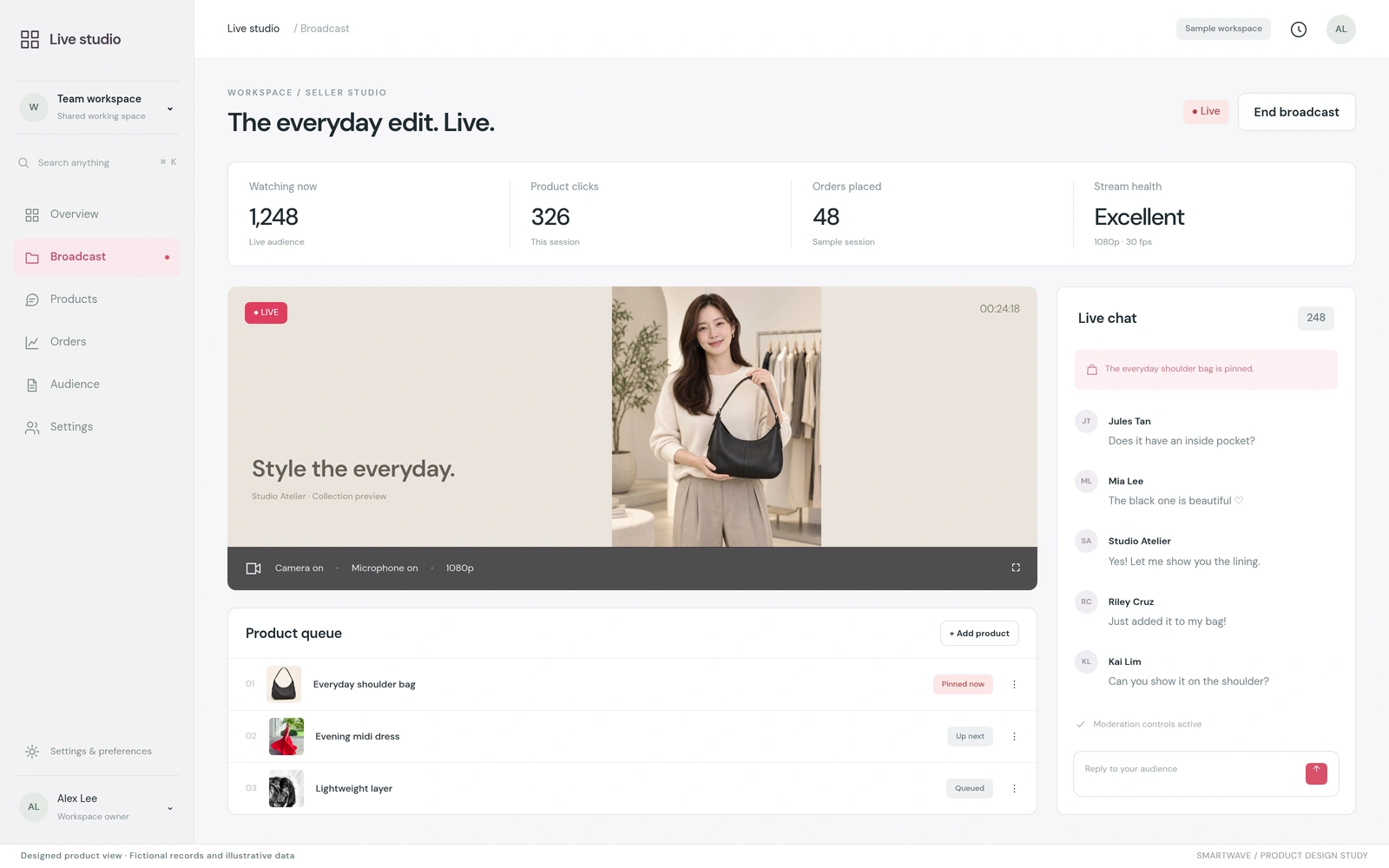
The seller experience brings broadcast controls, product queues, audience conversation, and stream context together. Creators can prepare products, select what is featured, and manage the session from a dedicated working surface.
THE DECISIONWhat must the seller be able to control while the broadcast is running?
SHARED SERVICES. DISTINCT SHOPPING SURFACES.
Native clients, an identity service, storefront integrations, and sale orchestration form the wider product family. The mobile applications consume commerce services through dedicated service layers; brand configuration selects the store and optional capabilities.
The integration work makes the boundaries explicit. Sale timing in the interface does not override server-side availability. Checkout is handed to the commerce platform, and customer authentication supplies the account context those services require.
- 01
CONFIGURE
Select the brand, storefront, and available experiences.
- 02
DISCOVER
Browse sale collections or featured live products.
- 03
IDENTIFY
Connect the customer to the relevant account services.
- 04
TRANSACT
Hand cart and account context to commerce checkout.
TEST THE WHOLE PURCHASE PATH.
Release confidence depends on the transitions between systems. Teams should test guest and signed-in shopping, changing sale availability, interrupted sessions, and checkout handoffs for each brand configuration.
The views are designed illustrations of the developed product family. They do not report customer adoption, conversion lift, or identical feature coverage across every platform.
- Account continuity across supported surfaces.
- Price and availability at the point of checkout.
- Recovery from interrupted live or shopping sessions.