A CONVERSATION.
A WORKING INTERFACE.
Bring intelligent assistance into the website, with useful answers, rich widgets, and a clear next action.
Implemented chatbot platform. Designed views include rich-widget and dashboard concepts.Explore the case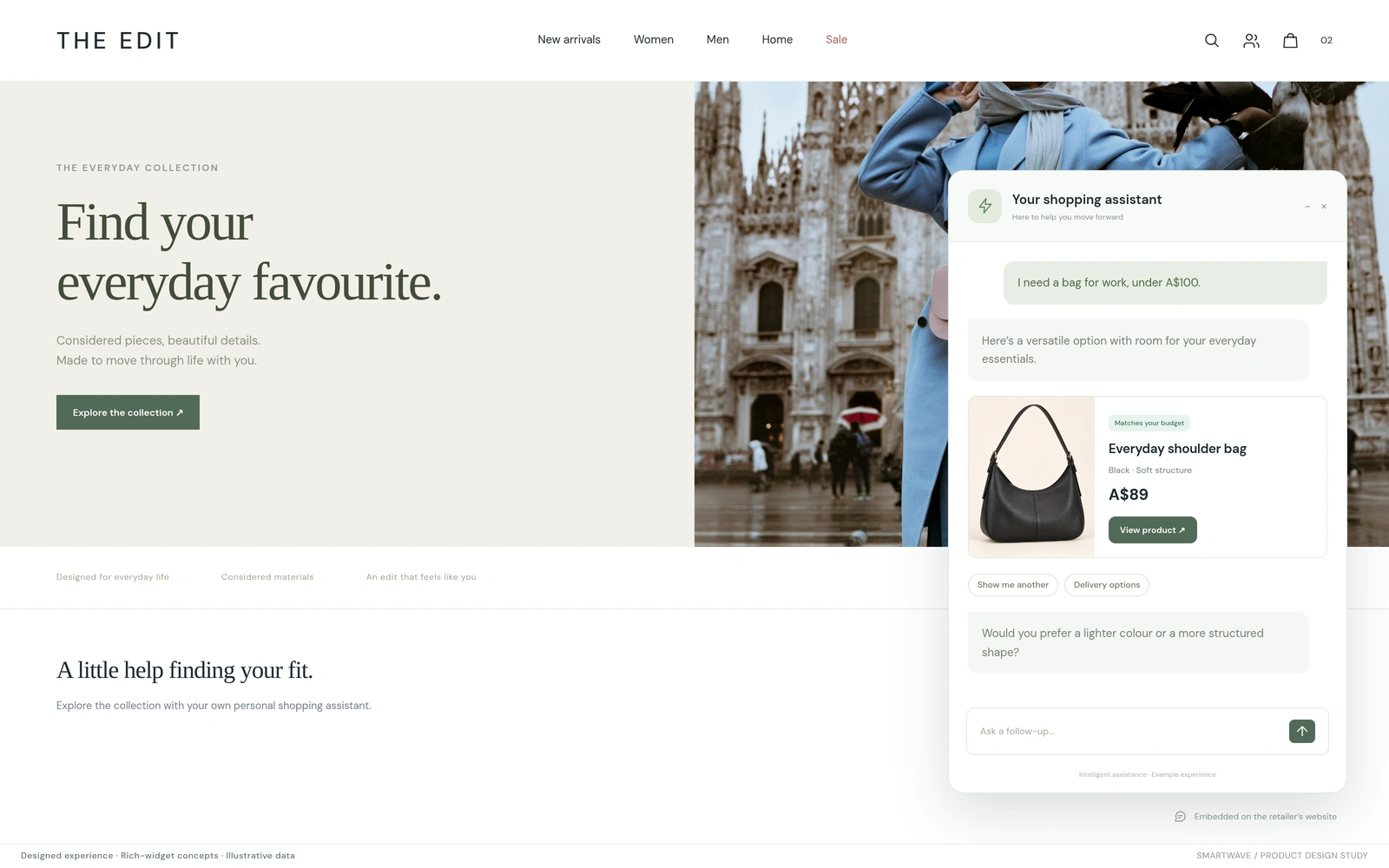
An embedded shopping assistant responds with a product card and useful next actions.
Custom-designed website and widget using fictional products.Customer experience
Embeddable chatbot platform
Web experiences & agent runtime
Designed experience · illustrative data
01Meet the customer inside the website they already use.
02Make the response useful through cards, choices, and actions.
03Use richer interfaces where a task needs more than text.
LET THE CONVERSATION DO SOMETHING USEFUL.
A visitor looking for a product, planning a booking, or trying to understand a report needs a useful next step. A chatbot earns its place when it can bring the relevant information and action into the conversation, using the context of the website around it.
We built a self-hostable agent platform with an embeddable web widget, visual flows, AI playbooks, knowledge retrieval, and business tools. The widget can render product-style cards, images, quick replies, and links. Teams manage the behaviour through a shared authoring and testing console.
The designed experiences below explore that customer-facing layer. Product guidance uses the established card-and-action pattern; booking controls and in-conversation dashboards show how richer widgets could extend it.
THE ANSWER CAN BE AN INTERFACE.
BRING THE PRODUCT INTO THE ANSWER.
An assistant embedded on a retail website can turn a customer’s request into a product card with an image, price, and a route to the product page. Quick replies help the visitor refine the choice without starting again.
THE DECISIONWhat should the customer be able to inspect or do directly from the answer?
MAKE THE NEXT STEP EASY TO COMPLETE.
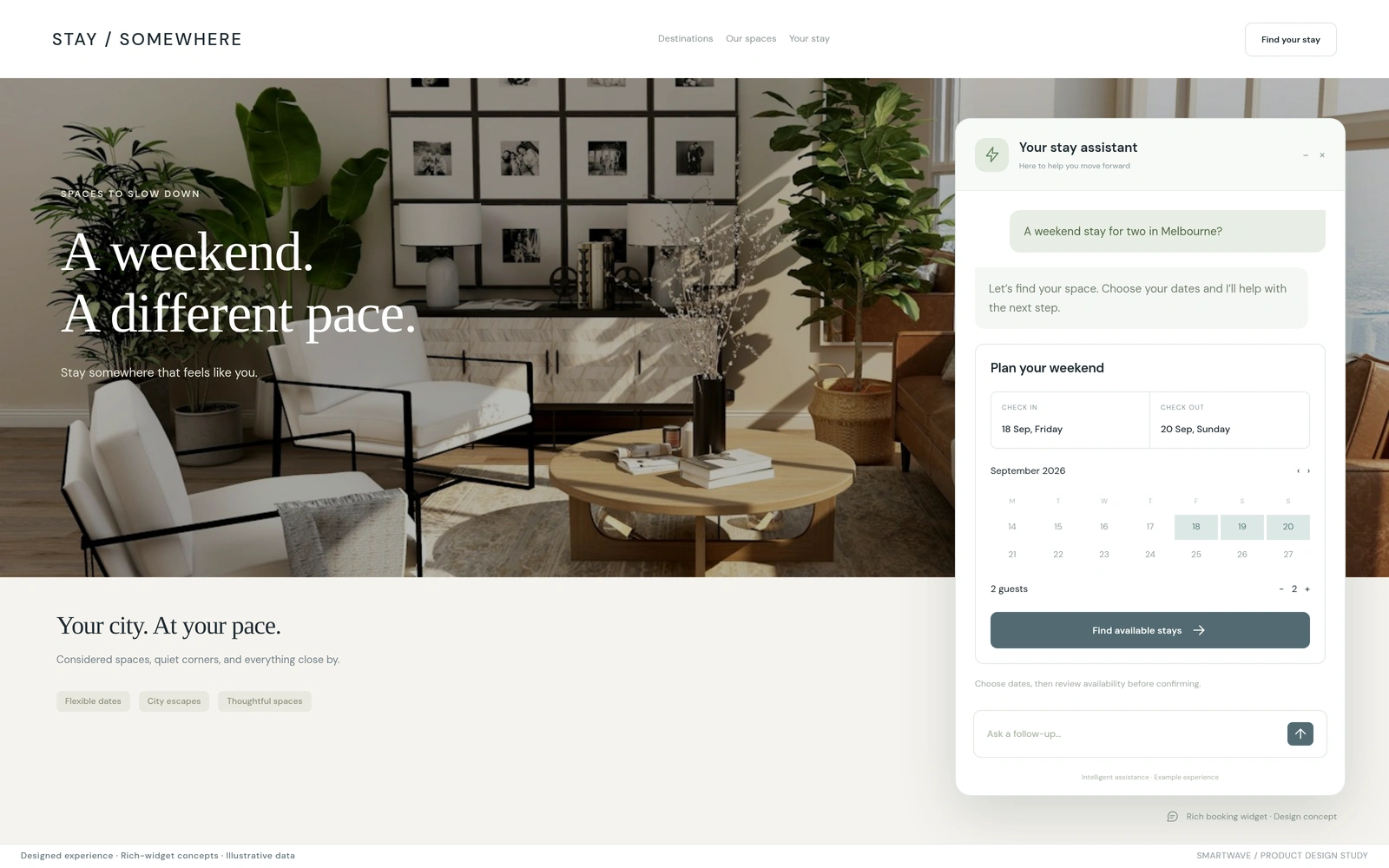
Some conversations reach a point where a compact interface is clearer than another exchange of messages. This booking concept brings dates and guest details into the chat, then leaves availability and confirmation to the booking service.
THE DECISIONWhich information is easier to provide through a focused widget?
ANSWER A QUESTION WITH A VIEW.
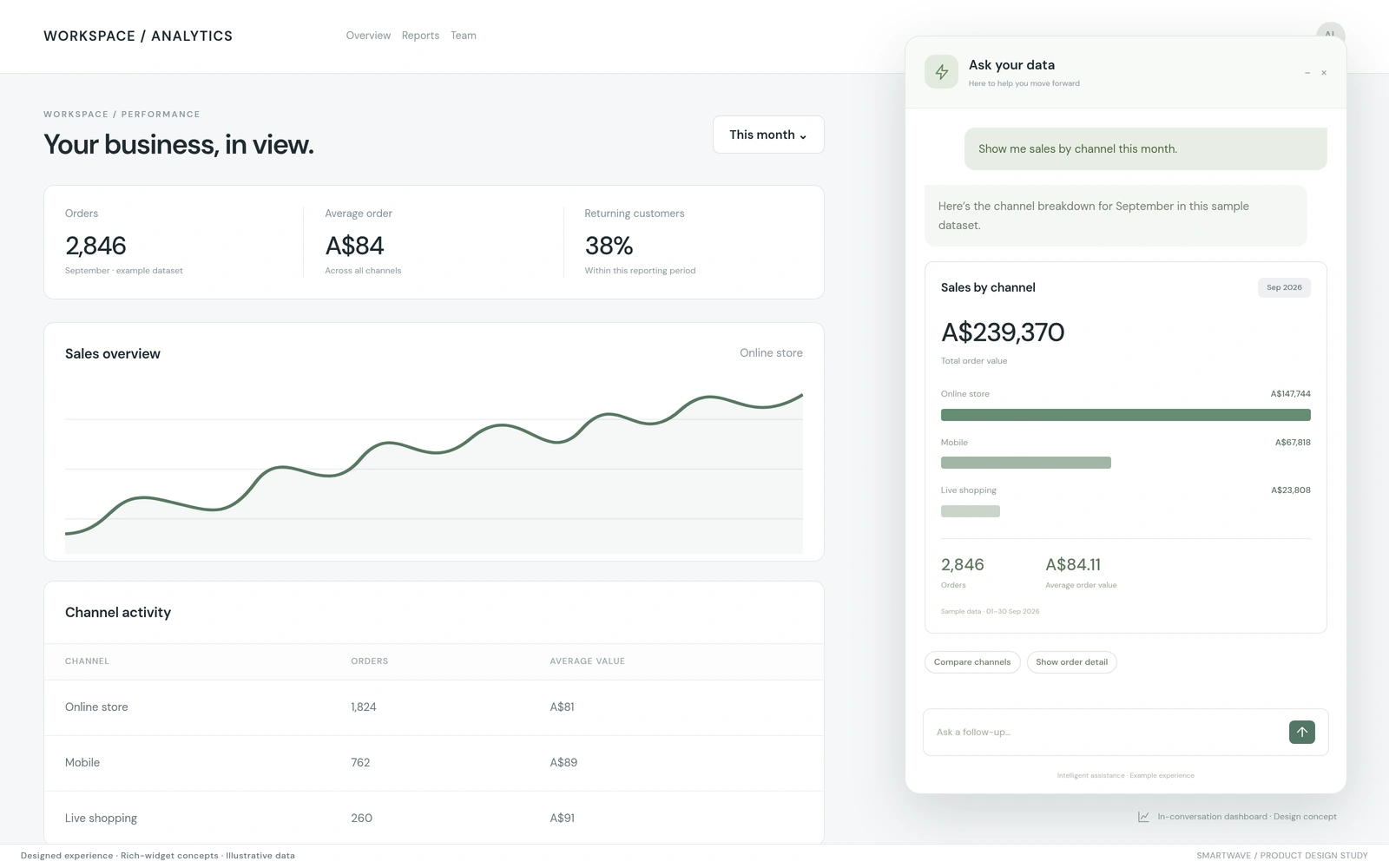
A business user asking about performance may need a chart, a breakdown, and the reporting period together. This concept renders a small dashboard inside the conversation so the user can inspect the answer and ask a more informed follow-up.
THE DECISIONWhat data and visual context does the user need to assess this answer?
A SMALL WEB SURFACE. A WORKING AGENT SYSTEM.
The embedded widget is isolated from the host page’s styles and connects to the agent runtime through streaming or request-response APIs. Its current response model covers text, chips, cards, and links. Visual flows handle structured steps, while language-model playbooks and retrieval support open-ended questions.
The platform separates authoring from released behaviour through workspaces, access controls, immutable versions, and pinned environments. Richer booking and dashboard widgets would extend the response contract with explicit rendering, data access, and action-handling rules.
- 01
EMBED
Place the assistant inside the website experience.
- 02
UNDERSTAND
Use flows, knowledge, and tools to resolve the task.
- 03
PRESENT
Return a useful answer with the appropriate interface.
- 04
ACT
Connect the visitor to a clear, validated next step.
TEST THE WHOLE CUSTOMER TASK.
Evaluate the conversation, the rendered response, and the action it offers together. Product details must match the linked record. Booking controls need availability checks. A data view needs an explicit reporting period and permission to access the information shown.
These are designed website experiences, not captures of customer deployments. Cards, chips, links, embedding, and agent authoring are supported by the reviewed platform; the booking and dashboard renderers are presented as design concepts.
- The widget works within the host website at different screen sizes.
- Rendered information and actions match the underlying business record.
- Conversation and widget changes pass representative task tests.