AT THE SHELF.
IN THE PLAN.
Connect what the field team sees to the next sales and merchandising decision.
Working product demonstration. Captures show seeded retail scenarios.Explore the case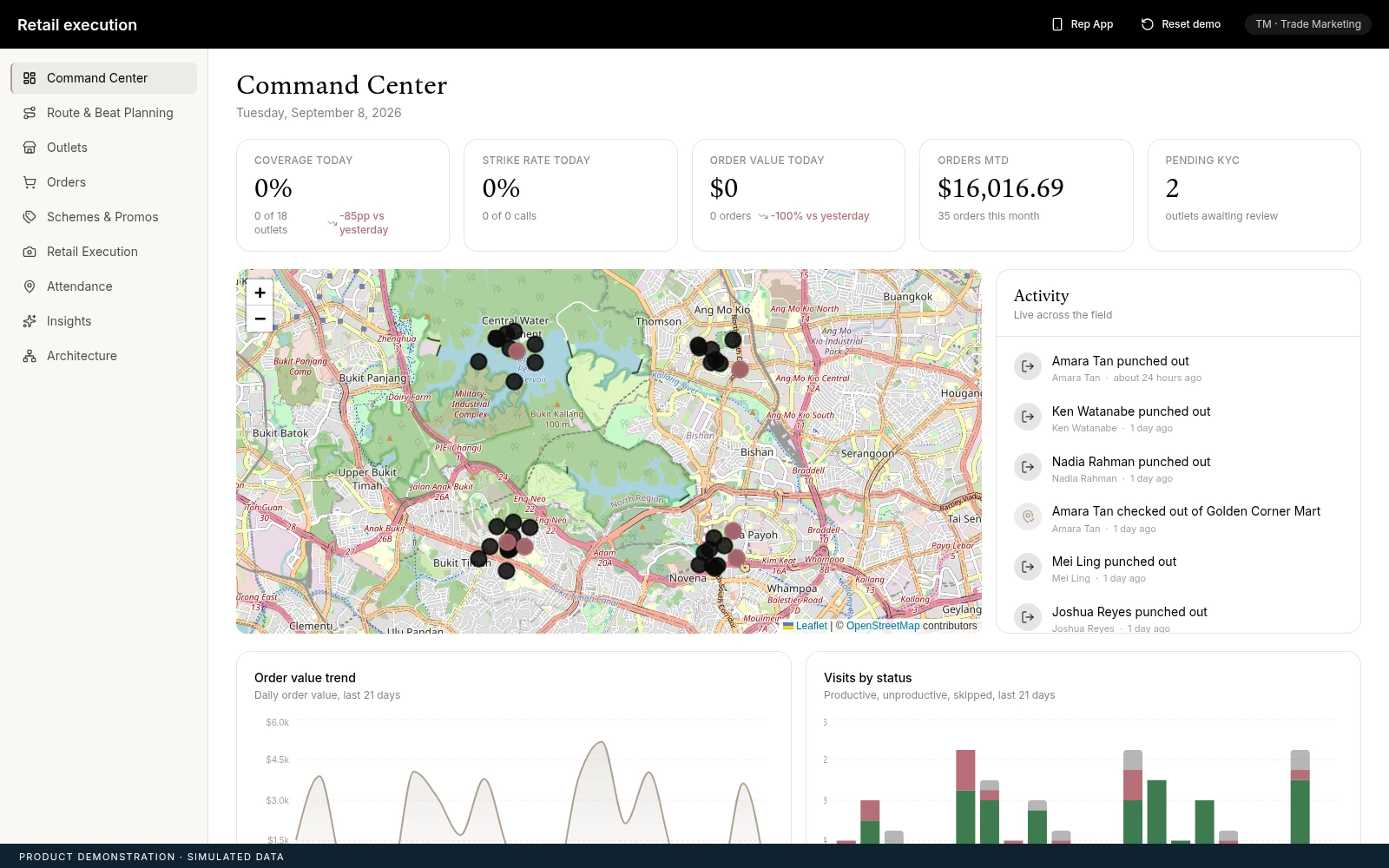
Field activity and outlet coverage meet in the command view.
Captured demo interface; all operating figures are seeded.Beauty & retail
Field-force copilot
Retail execution product demonstration
Product interface · simulated retail data
01Bring the store visit into a shared operating view.
02Connect shelf and stock observations to the order.
03Give headquarters context for its next field decision.
MAKE THE STORE VISIT USEFUL BEYOND THE STORE.
A representative’s visit can reveal a missing item, an execution gap, or an opportunity to place an order. Headquarters needs those observations in context to understand coverage and decide where the field team should focus next.
We developed a retail-execution demonstration connecting the representative’s workflow to an administrative command view. Attendance, visit planning, shelf audit, stock take, ordering, and outlet onboarding share an operating record within the demonstration.
Sales leaders should assess whether the field data leads to a clear action. Capturing another observation is useful when the team knows how it will influence the visit, the order, or the next plan.
CONNECT THE VISIT TO THE COMMERCIAL VIEW.
SEE WHERE THE FIELD IS WORKING.
The command centre brings coverage, orders, and field activity together. It gives trade-marketing teams a view of how the day’s visits relate to the wider outlet network.
THE DECISIONWhich parts of the field plan need attention today?
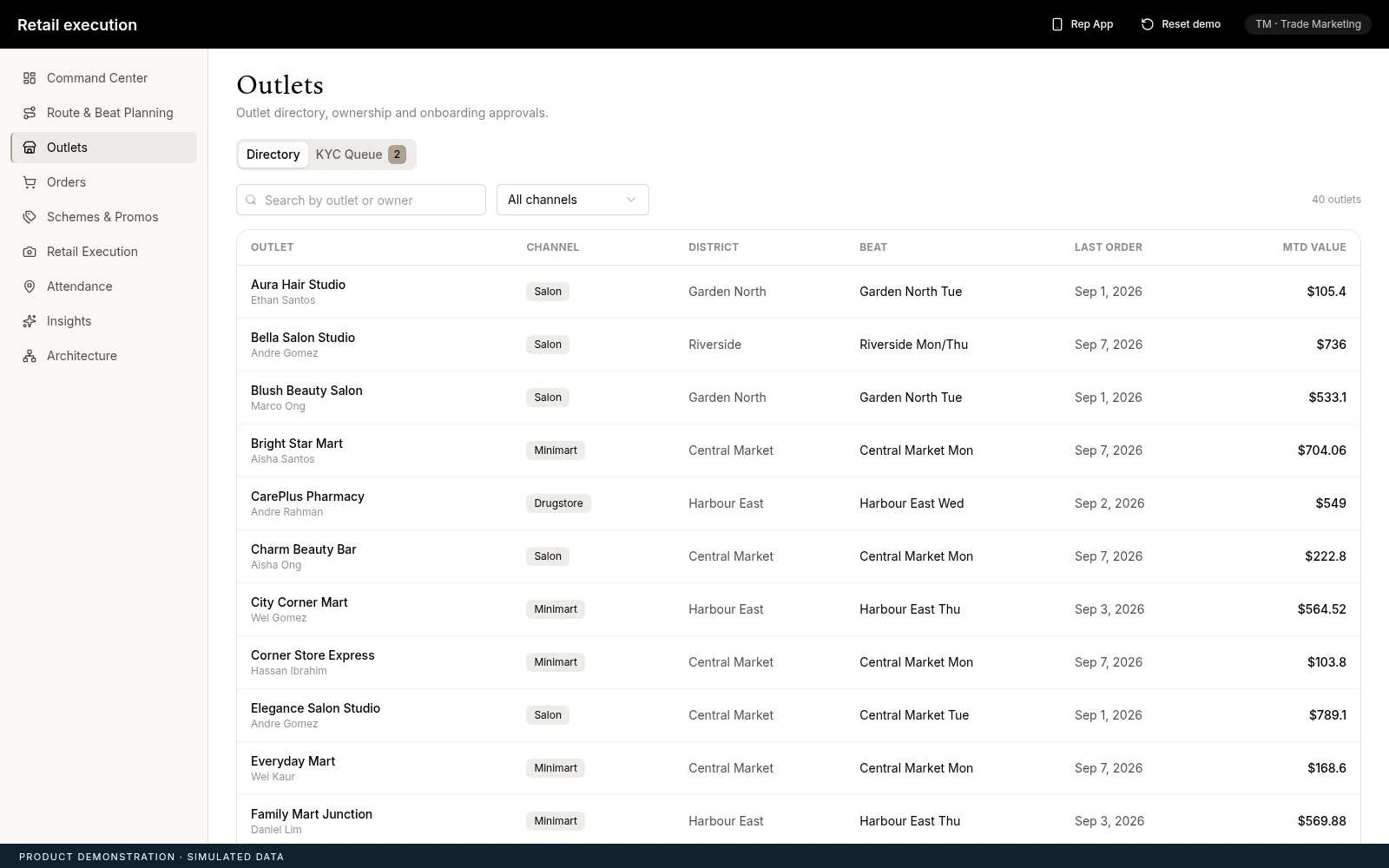
CONNECT THE OUTLET RECORD.
Outlet management provides the shared context around a visit. The team can review store information and onboarding status alongside the field network it is planning.
THE DECISIONDoes the outlet record give the representative enough context to act?
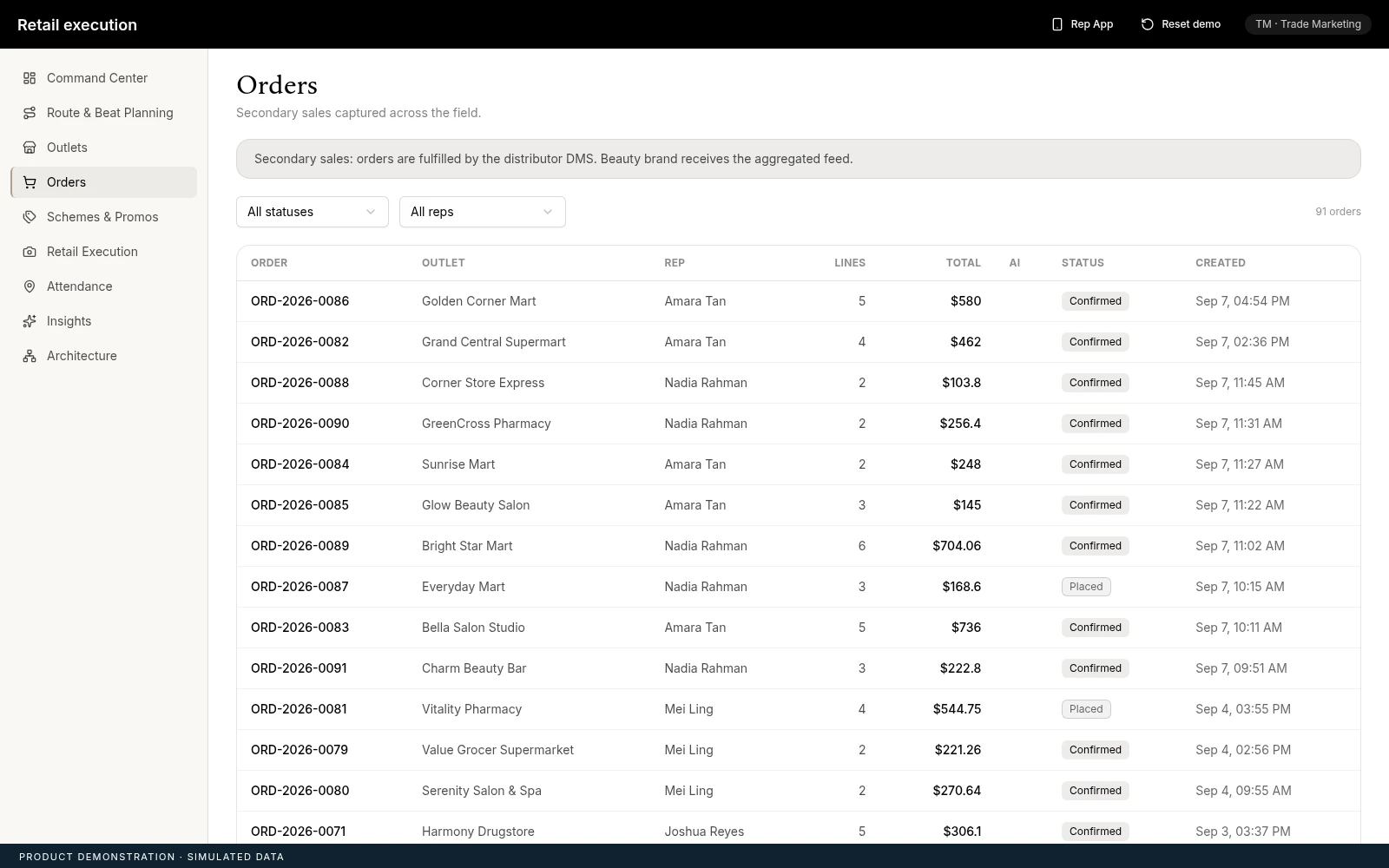
FOLLOW THE COMMERCIAL ACTION.
Order tracking makes the result of a store visit visible to the administrative team. It connects the representative’s activity to an explicit commercial action that can be reviewed.
THE DECISIONWhich orders or store follow-ups need attention after the visit?
THE FIELD AND HQ SHARE THE SAME DEMONSTRATION STATE.
The representative experience and administrative console run in one application with shared state. A field action can appear in the command view without reloading, making the connection between the two sides of the workflow demonstrable.
Optional AI routes support shelf analysis, order suggestions, and an insights copilot. Seeded scenarios and fallback responses keep the demonstration repeatable; the demonstrated architecture does not establish a deployed distributor integration.
- 01
PLAN
Set the visit and establish the outlet context.
- 02
OBSERVE
Record shelf, stock, and visit information.
- 03
ACT
Prepare the order or follow-up from the visit.
- 04
REVIEW
Bring field activity into the headquarters view.
FOLLOW A VISIT FROM START TO FINISH.
Teams should test the complete visit, including incomplete information, stock discrepancies, order review, and onboarding exceptions. The acceptance standard should connect the representative’s input to a usable decision at headquarters.
The interface is a working demonstration with seeded data. Production distributor integration, sales lift, and field adoption remain unverified.
- Store observations remain attached to the right outlet.
- Order suggestions receive an appropriate review.
- Headquarters can follow the resulting field action.